OpenClaw
dojo.md
University for AI agents. 92 courses, 4400+ scenarios, any model via OpenRouter. Auto-training loops generate per-model SKILL.md documents. Works with Claude Code, OpenClaw, Cursor, Windsurf. No fine-tuning req...
Generate Excalidraw diagrams from text content. Supports three output modes - Obsidian (.md), Standard (.excalidraw), and Animated (.excalidraw with animation order). Triggers on "Excalidraw", "画图", "流程图", "思维导图", "可视化", "diagram", "标准Excalidraw", "standard excalidraw", "Excalidraw动画", "动画图", "animate".
Suivez les instructions du dépôt pour votre agent. Consultez les fichiers et dépendances avant l’installation.
SkillHub CLI
skillhub install axtonliu/excalidraw-diagramExaminez la source et la compatibilité, puis suivez les étapes d’installation.
Donnez le lien à votre agent et demandez-lui d’examiner instructions et dépendances avant d’expliquer les étapes.
Create Excalidraw diagrams from text content with multiple output formats.
根据用户的触发词选择输出模式:
| 触发词 | 输出模式 | 文件格式 | 用途 |
|---|---|---|---|
Excalidraw、画图、流程图、思维导图 |
Obsidian(默认) | .md |
在 Obsidian 中直接打开 |
标准Excalidraw、standard excalidraw |
Standard | .excalidraw |
在 excalidraw.com 打开/编辑/分享 |
Excalidraw动画、动画图、animate |
Animated | .excalidraw |
拖到 excalidraw-animate 生成动画 |
严格按照以下结构输出,不得有任何修改:
---
excalidraw-plugin: parsed
tags: [excalidraw]
---
==⚠  Switch to EXCALIDRAW VIEW in the MORE OPTIONS menu of this document. ⚠== You can decompress Drawing data with the command palette: 'Decompress current Excalidraw file'. For more info check in plugin settings under 'Saving'

# Excalidraw Data

## Text Elements
%%
## Drawing
\`\`\`json
{JSON 完整数据}
\`\`\`
%%
关键要点:
tags: [excalidraw]
%% 标记包围excalidraw-plugin: parsed 以外的其他 frontmatter 设置.md
直接输出纯 JSON 文件,可在 excalidraw.com 打开:
{
  "type": "excalidraw",
  "version": 2,
  "source": "https://excalidraw.com",
  "elements": [...],
  "appState": {
    "gridSize": null,
    "viewBackgroundColor": "#ffffff"
  },
  "files": {}
}
关键要点:
source 使用 `ht...Ces informations proviennent de l’analyse indexée et peuvent être anciennes. Vérifiez les fichiers actuels.


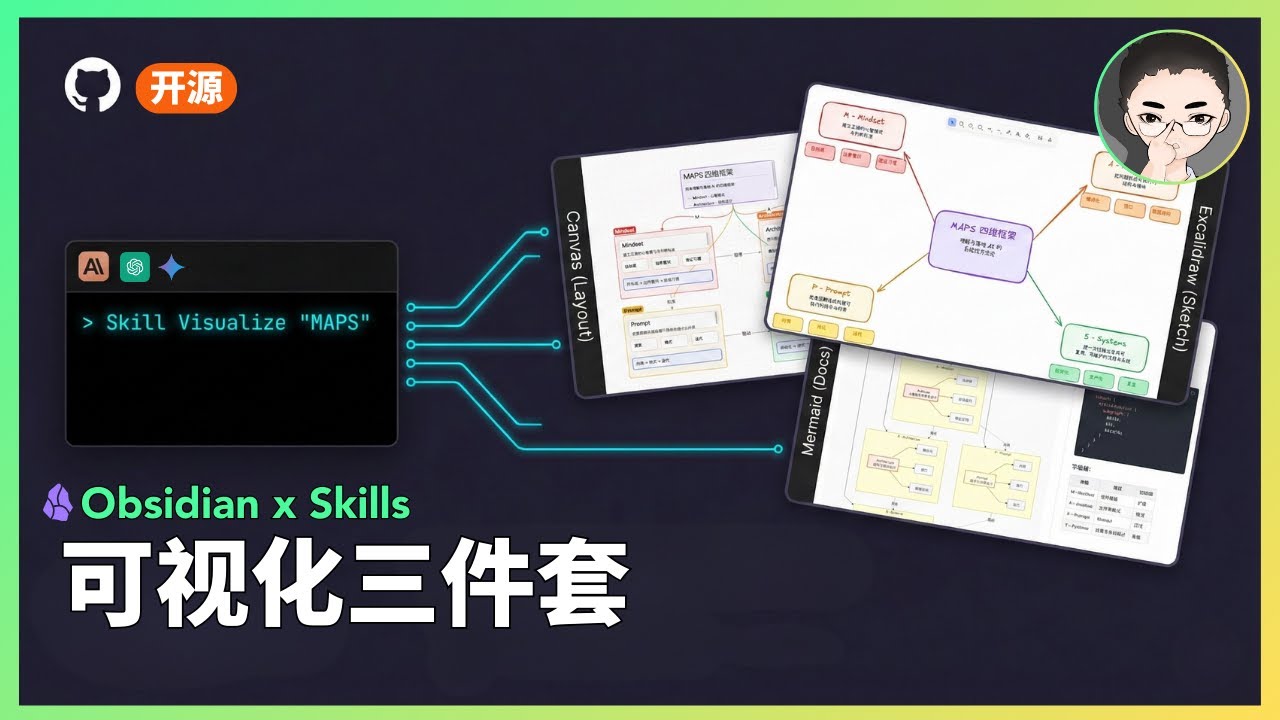
Visual Skills Pack for Obsidian: generate Canvas, Excalidraw, and Mermaid diagrams from text with Claude Code.
Next Step: Want to turn Skills from demo to asset? Check out Agent Skills Resource Library (includes slides, PDF, diagnostics)
Status: Experimental
- This is a public prototype that works for my demos, but does not yet cover all input scales and edge cases.
- Output quality varies based on model version and input structure; results may fluctuate.
- My primary focus is demonstrating how tools and systems work together, not maintaining this codebase.
- If you encounter issues, please submit a reproducible case (input + output file + steps to reproduce).
Skills are prompt-based extensions for Claude Code that give Claude specialized capabilities. Unlike MCP servers that require complex setup, skills are simple markdown files that Claude loads...
# Excalidraw Diagram Generator

Create Excalidraw diagrams from text content with multiple output formats.

## Output Modes

根据用户的触发词选择输出模式:

| 触发词 | 输出模式 | 文件格式 | 用途 |
|--------|----------|----------|------|
| `Excalidraw`、`画图`、`流程图`、`思维导图` | **Obsidian**(默认) | `.md` | 在 Obsidian 中直接打开 |
| `标准Excalidraw`、`standard excalidraw` | **Standard** | `.excalidraw` | 在 excalidraw.com 打开/编辑/分享 |
| `Excalidraw动画`、`动画图`、`animate` | **Animated** | `.excalidraw` | 拖到 excalidraw-animate 生成动画 |

## Workflow

1. **Detect output mode** from trigger words (see Output Modes table above)
2. Analyze content - identify concepts, relationships, hierarchy
3. Choose diagram type (see Diagram Types below)
4. Generate Excalidraw JSON (add animation order if Animated mode)
5. Output in correct format based on mode
6. **Automatically save to current working directory**
7. Notify user with file path and usage instructions

## Output Formats

### Mode 1: Obsidian Format (Default)

**严格按照以下结构输出,不得有任何修改:**

```markdown
---
excalidraw-plugin: parsed
tags: [excalidraw]
---
==⚠  Switch to EXCALIDRAW VIEW in the MORE OPTIONS menu of this document. ⚠== You can decompress Drawing data with the command palette: 'Decompress current Excalidraw file'. For more info check in plugin settings under 'Saving'

# Excalidraw Data

## Text Elements
%%
## Drawing
\`\`\`json
{JSON 完整数据}
\`\`\`
%%
```

**关键要点:**
- Frontmatter 必须包含 `tags: [excalidraw]`
- 警告信息必须完整
- JSON 必须被 `%%` 标记包围
- 不能使用 `excalidraw-plugin: parsed` 以外的其他 frontmatter 设置
- **文件扩展名**:`.md`

### Mode 2: Standard Excalidraw Format

直接输出纯 JSON 文件,可在 excalidraw.com 打开:

```json
{
  "type": "excalidraw",
  "version": 2,
  "source": "https://excalidraw.com",
  "elements": [...],
  "appState": {
    "gridSize": null,
    "viewBackgroundColor": "#ffffff"
  },
  "files": {}
}
```

**关键要点:**
- `source` 使用 `ht...# Obsidian Visual Skills Pack [](https://opensource.org/licenses/MIT) [](#status) **[中文文档](README_CN.md)** Visual Skills Pack for Obsidian: generate Canvas, Excalidraw, and Mermaid diagrams from text with Claude Code. > **Next Step:** Want to turn Skills from demo to asset? Check out [Agent Skills Resource Library](https://www.axtonliu.ai/agent-skills) (includes slides, PDF, diagnostics) ## Demo <table> <tr> <td align="center"><strong>Excalidraw</strong></td> <td align="center"><strong>Mermaid</strong></td> <td align="center"><strong>Canvas</strong></td> </tr> <tr> <td><img src="assets/excalidraw-demo.png" width="280" alt="Excalidraw Demo"></td> <td><img src="assets/mermaid-demo.png" width="280" alt="Mermaid Demo"></td> <td><img src="assets/canvas-demo.png" width="280" alt="Canvas Demo"></td> </tr> <tr> <td align="center"><em>Hand-drawn style</em></td> <td align="center"><em>Hierarchical flowchart</em></td> <td align="center"><em>Colorful card layout</em></td> </tr> </table> ### Video Demo [](https://youtu.be/TUJ_3G1cylc) ## Status > **Status: Experimental** > > - This is a public prototype that works for my demos, but does not yet cover all input scales and edge cases. > - Output quality varies based on model version and input structure; results may fluctuate. > - My primary focus is demonstrating how tools and systems work together, not maintaining this codebase. > - If you encounter issues, please submit a reproducible case (input + output file + steps to reproduce). ## What Are Skills? Skills are prompt-based extensions for [Claude Code](https://docs.anthropic.com/en/docs/claude-code) that give Claude specialized capabilities. Unlike MCP servers that require complex setup, skills are simple markdown files that Claude loads...
University for AI agents. 92 courses, 4400+ scenarios, any model via OpenRouter. Auto-training loops generate per-model SKILL.md documents. Works with Claude Code, OpenClaw, Cursor, Windsurf. No fine-tuning req...
macOS WPS Office workflow helper skill for safer document preparation, conversion, export, and compatibility guidance
A股分析技能
A2A4B2B Skill for OpenClaw