meme-generation
Generate relevant memes using the memegen.link API. Use this skill when users request memes, want to add humor to content, or need visual aids for social media. Supports hundreds of popular meme templates with custom text and styling options.
Installation
Follow the repository instructions for this skill and your agent. Review the files and dependencies before adding it to your workflow.
View source ↗GuidesSkill instructions
Meme Generation with Memegen.link
This skill enables creation of memes using the free and open-source memegen.link API.
Quick Reference
For comprehensive meme creation guidance:
- See Complete Markdown Memes Guide for 15+ textual meme formats (greentext, copypasta, ASCII art, chat logs, Reddit AITA, Tumblr chains, wojak dialogues, etc.) AND image meme techniques
- This file focuses on the memegen.link API for image meme generation
Overview
The memegen.link API allows you to:
- Generate memes using 100+ popular templates
- Add custom top and bottom text
- Use custom images as backgrounds
- Control dimensions, fonts, and styles
- Create animated memes with GIF/WebP support
Quick Start
Basic Meme Structure
URL Format:
https://api.memegen.link/images/{template}/{top_text}/{bottom_text}.{extension}
Example:
https://api.memegen.link/images/buzz/memes/memes_everywhere.png
This generates a Buzz Lightyear meme with "memes" at the top and "memes everywhere" at the bottom.
Text Formatting
Spacing
- Use underscores (
_) or dashes (-) for spaces in text - Example:
One_Does_Not_Simply→ "One Does Not Simply"
Special Characters
- Use URL encoding for special characters
- Spaces:
_or- - Newlines:
~n - Question mark:
~q - Percent:
~p - Slash:
~s - Hash/Pound:
~h - Quotes:
''for single,""for double
Single Line Text
For memes with only one line of text, use an underscore for the empty line:
https://api.memegen.link/images/yodawg/_/your_text_here.png
Available Templates
Popular Templates:
-
buzz- Buzz Lightyear ("X, X Everywhere") -
drake- Drake Hotline Bling (two panels) -
doge- Doge (multiple text positions) -
distracted- Distracted Boyfriend -
changemind- Change My Mind -
success- Success Kid -
skeptical- Skeptical Third World Kid -
awesome- Awesome/Awkward Penguin -
yodawg- Yo Dawg -
ancient- Ancient Aliens Guy -
wonka- Condescending Wonka
View all templates:
- API endpoint:
https://api.memegen.link/templates/ - Interactive docs:
https://api.memegen.link/docs/
Advanced Features
Image Formats
Supported Extensions:
-
.png- Standard format, best quality -
.jpg- Smaller file size -
.webp- Modern format, good compression -
.gif- Animated (if template supports it)
Example:
https://api.memegen.link/images/buzz/memes/memes_everywhere.webp
Dimensions
Width & Height:
?width=800
?height=600
?width=800&height=600  (padded to exact dimensions)
Example:
https://api.memegen.link/images/buzz/memes/memes_everywhere.png?width=1200
Layout Options
Control text positioning with the layout parameter:
?layout=top     # Text at top only
?layout=bottom  # Text at bottom only
?layout=default # Standard top/bottom
Example:
https://api.memegen.link/images/rollsafe/when_you_have/a_good_idea.png?layout=top
Custom Fonts
Available fonts:
- View at:
https://api.memegen.link/fonts/ - Use:
?font=impact(default)
Custom Images
Use any image URL as a background:
?style=https://example.com/your-image.jpg
Example:
https://api.memegen.link/images/custom/hello/world.png?style=https://i.imgur.com/abc123.jpg
Practical Examples
Example 1: Drake Meme
https://api.memegen.link/images/drake/manual_testing/automated_testing.png
Top panel (rejected): "manual testing" Bottom panel (approved): "automated testing"
Example 2: Distracted Boyfriend
https://api.memegen.link/images/distracted/my_code/new_shiny_framework/current_project.png
- Boyfriend: "my code"
- Other girl: "new shiny framework"
- Girlfriend: "current project"
Example 3: One Does Not Simply
https://api.memegen.link/images/mordor/one_does_not_simply/fix_a_bug_without_creating_two_more.png
Example 4: Change My Mind
https://api.memegen.link/images/changemind/tabs_are_better_than_spaces.png
Example 5: Success Kid
https://api.memegen.link/images/success/all_tests_passing/on_the_first_try.png
Example 6: Custom Dimensions
https://api.memegen.link/images/buzz/memes/memes_everywhere.png?width=1200&height=630
Perfect for Open Graph social media sharing (1200x630).
Creating Contextual Memes
For Code Reviews
Template: fry (Futurama Fry - "Not sure if...")
https://api.memegen.link/images/fry/not_sure_if_feature/or_bug.png
For Deployments
Template: interesting (The Most Interesting Man)
https://api.memegen.link/images/interesting/i_dont_always_test_my_code/but_when_i_do_i_do_it_in_production.png
For Documentation
Template: yodawg
https://api.memegen.link/images/yodawg/yo_dawg_i_heard_you_like_docs/so_i_documented_the_documentation.png
For Performance Issues
Template: fine (This is Fine Dog)
https://api.memegen.link/images/fine/memory_usage_at_99~/this_is_fine.png
Best Practices
1. Keep Text Concise
- Memes work best with short, punchy text
- Aim for 2-6 words per line
- Long text becomes hard to read
2. Choose Appropriate Templates
- Match the template to your message
- Drake = comparisons/choices
- Distracted boyfriend = priorities/distractions
- Change my mind = controversial opinions
- Success kid = victories/wins
3. Consider Context
- Know your audience
- Keep it professional for work contexts
- Use humor that resonates with your team
4. Optimize for Platform
- Social media: 1200x630 (Open Graph)
- Slack/Discord: 800x600 works well
- GitHub: Default size is fine
5. Test Your URLs
- Preview memes before sharing
- Check for typos in text
- Verify template name is correct
Workflow Integration
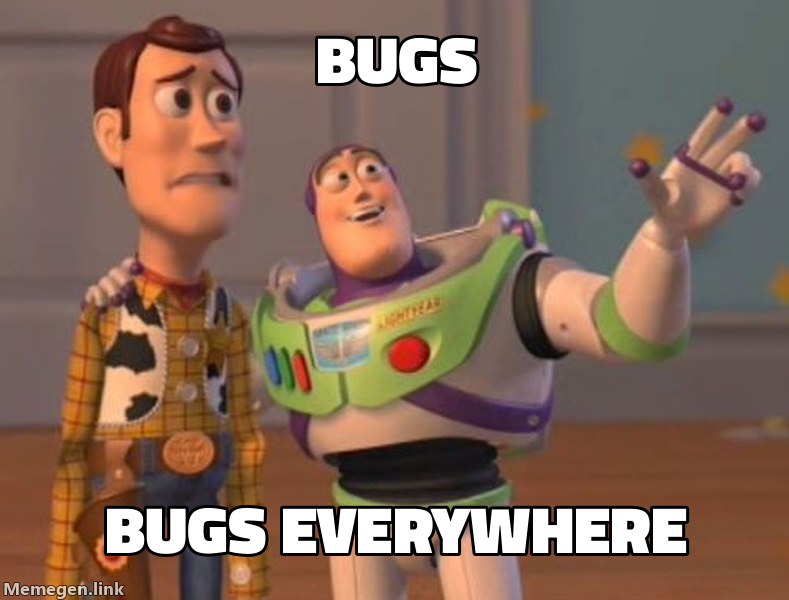
1. Generating Memes in Response
When a user requests a meme or you want to add humor:
Here's a relevant meme about your situation:
2. Creating Meme Collections
Generate multiple memes for a topic:
base_url = "https://api.memegen.link/images"
memes = [
f"{base_url}/buzz/features/features_everywhere.png",
f"{base_url}/drake/manual_testing/automated_testing.png",
f"{base_url}/success/all_tests_passing/on_first_try.png"
]
for meme in memes:
print(f"")
3. Dynamic Meme Generation
Generate memes based on context:
def generate_status_meme(status: str, message: str):
    template_map = {
        "success": "success",
        "failure": "fine",
        "review": "fry",
        "deploy": "interesting"
    }

    template = template_map.get(status, "buzz")
    top_text = message.split()[0:3]  # First 3 words
    bottom_text = message.split()[3:6]  # Next 3 words

    top = "_".join(top_text)
    bottom = "_".join(bottom_text)

    return f"https://api.memegen.link/images/{template}/{top}/{bottom}.png"
Template Selection Guide
Comparison/Choice Templates
- drake - Two options (reject/approve)
- awesome - Good/bad situations (split penguin)
- distracted - Priorities/distractions (3 elements)
Reaction Templates
- success - Victories and wins
- fine - Things going wrong but acting OK
- surprised - Unexpected outcomes
- yuno - Why aren't you doing X?
Statement Templates
- buzz - X, X everywhere
- yodawg - Yo dawg, I heard you like X
- interesting - I don't always X, but when I do Y
- mordor - One does not simply X
- changemind - Controversial statement
Questioning Templates
- fry - Not sure if X or Y
- skeptical - Skeptical about claims
- suspicious - Suspicious about something
- roll - Points head (you can't X if Y)
Error Handling
If a meme URL doesn't work:
- Check template name at
https://api.memegen.link/templates/ - Verify text formatting (underscores for spaces)
- Check for special characters that need encoding
- Ensure extension is valid (.png, .jpg, .webp, .gif)
- Test in browser before sharing
API Limitations
- Free and open-source (no API key needed)
- No rate limiting for normal use
- Stateless (all info in URL)
- No storage (images generated on-demand)
- No authentication required
Examples for Egregora Project
Privacy-Focused Memes
# For anonymization features
https://api.memegen.link/images/buzz/pii/pii_everywhere.png

# For data privacy
https://api.memegen.link/images/success/all_data_anonymized/no_leaks.png
WhatsApp Export Memes
# Processing messages
https://api.memegen.link/images/yodawg/yo_dawg_i_heard_you_like_messages/so_i_parsed_your_messages.png

# Data pipeline
https://api.memegen.link/images/buzz/dataframes/dataframes_everywhere.png
LLM Content Generation
# AI writing
https://api.memegen.link/images/interesting/i_dont_always_write_blog_posts/but_when_i_do_llms_write_them.png

# AI confusion
https://api.memegen.link/images/fry/not_sure_if_ai_generated/or_human_written.png
Interactive API Documentation
For complete, interactive documentation:
- Docs: https://api.memegen.link/docs/
- Templates: https://api.memegen.link/templates/
- Fonts: https://api.memegen.link/fonts/
- GitHub: https://github.com/jacebrowning/memegen
Tips for Claude
When generating memes:
- Listen for keywords: "meme", "funny", "humor", "reaction"
- Match context: Choose templates that fit the situation
- Be relevant: Connect memes to the current conversation
- Preview first: Generate URL and describe what it will show
- Embed properly: Use markdown image syntax for display
- Respect tone: Only use memes when appropriate for context
Common Mistakes to Avoid
-
Forgetting underscores -
hello worldwon't work, usehello_world - Wrong template name - Check templates list if unsure
- Too much text - Keep it concise and readable
-
Missing extension - Always include
.png,.jpg, etc. - Special characters - Use URL encoding for ?, /, %, etc.
Quick Reference
Basic URL:
https://api.memegen.link/images/{template}/{top}/{bottom}.png

With sizing:
?width=1200&height=630

With layout:
?layout=top

With custom background:
?style=https://example.com/image.jpg

View all templates:
https://api.memegen.link/templates/

Interactive docs:
https://api.memegen.link/docs/
Summary
The memegen.link API is a powerful, free tool for generating contextual memes. Use it to:
- Add humor to conversations
- Create visual aids for social media
- Make code reviews more engaging
- Celebrate successes
- Communicate complex ideas simply
Remember: A good meme is concise, relevant, and uses the right template for the message.
Examples
Read the usage examples in the source repository.
View source ↗Source history
- Indexed on
- 2026-01-20
- Index updated
- 2026-01-27
- Branch
- main
Index and sync dates describe this directory. View the source repository for code history.
GitHub ↗chat Comments (0)
Sign in to join the discussion and leave a comment.
No comments yet. Be the first to share your thoughts!