TopRank Skills

Home / Claw Skills / Document / mermaid-visualizer
Official OpenClaw rules 72%

mermaid-visualizer

Transform text content into professional Mermaid diagrams for presentations and documentation. Use when users ask to visualize concepts, create flowcharts, or make diagrams from text. Supports process flows, system architectures, comparisons, mindmaps, and more with built-in syntax error prevention.

Stars

0

Installs

0

Status

ACTIVE

Visibility

PUBLIC

安装方式

直接复制以下提示词,发送给你的 AI 助手即可完成安装。

请先检查是否已安装 SkillHub 商店,若未安装,请根据 https://skillhub-1388575217.cos.ap-guangzhou.myqcloud.com/install/skillhub.md 安装 SkillHub 商店,然后安装 mermaid-visualizer 技能。 若已安装,则直接安装 mermaid-visualizer 技能。

Overview

Skill Key
axtonliu/mermaid-visualizer
Author
axtonliu
Source Repo
openclaw/skills
Version
-
Source Path
skills/axtonliu/mermaid-visualizer
Latest Commit SHA
d9ed66ca404cdb29d1f6e8ae701bed98972113cb

Extracted Content

SKILL.md excerpt

# Mermaid Visualizer

## Overview

Convert text content into clean, professional Mermaid diagrams optimized for presentations and documentation. Automatically handles common syntax pitfalls (list syntax conflicts, subgraph naming, spacing issues) to ensure diagrams render correctly in Obsidian, GitHub, and other Mermaid-compatible platforms.

## Quick Start

When creating a Mermaid diagram:

1. **Analyze the content** - Identify key concepts, relationships, and flow
2. **Choose diagram type** - Select the most appropriate visualization (see Diagram Types below)
3. **Select configuration** - Determine layout, detail level, and styling
4. **Generate diagram** - Create syntactically correct Mermaid code
5. **Output in markdown** - Wrap in proper code fence with optional explanation

**Default assumptions:**
- Vertical layout (TB) unless horizontal requested
- Medium detail level (balanced between simplicity and information)
- Professional color scheme with semantic colors
- Obsidian/GitHub compatible syntax

## Diagram Types

### 1. Process Flow (graph TB/LR)
**Best for:** Workflows, decision trees, sequential processes, AI agent architectures

**Use when:** Content describes steps, stages, or a sequence of actions

**Key features:**
- Swimlanes via subgraph for grouping related steps
- Arrow labels for transitions
- Feedback loops and branches
- Color-coded stages

**Configuration options:**
- `layout`: "vertical" (TB), "horizontal" (LR)
- `detail`: "simple" (core steps only), "standard" (with descriptions), "detailed" (with annotations)
- `style`: "minimal", "professional", "colorful"

### 2. Circular Flow (graph TD with circular layout)
**Best for:** Cyclic processes, continuous improvement loops, agent feedback systems

**Use when:** Content emphasizes iteration, feedback, or circular relationships

**Key features:**
- Central hub with radiating elements
- Curved feedback arrows
- Clear cycle indicators

### 3. Comparison Diagram (graph TB with parallel paths)
**Be...

README excerpt

# Obsidian Visual Skills Pack

[![License: MIT](https://img.shields.io/badge/License-MIT-yellow.svg)](https://opensource.org/licenses/MIT)
[![Status: Experimental](https://img.shields.io/badge/Status-Experimental-orange.svg)](#status)

**[中文文档](README_CN.md)**

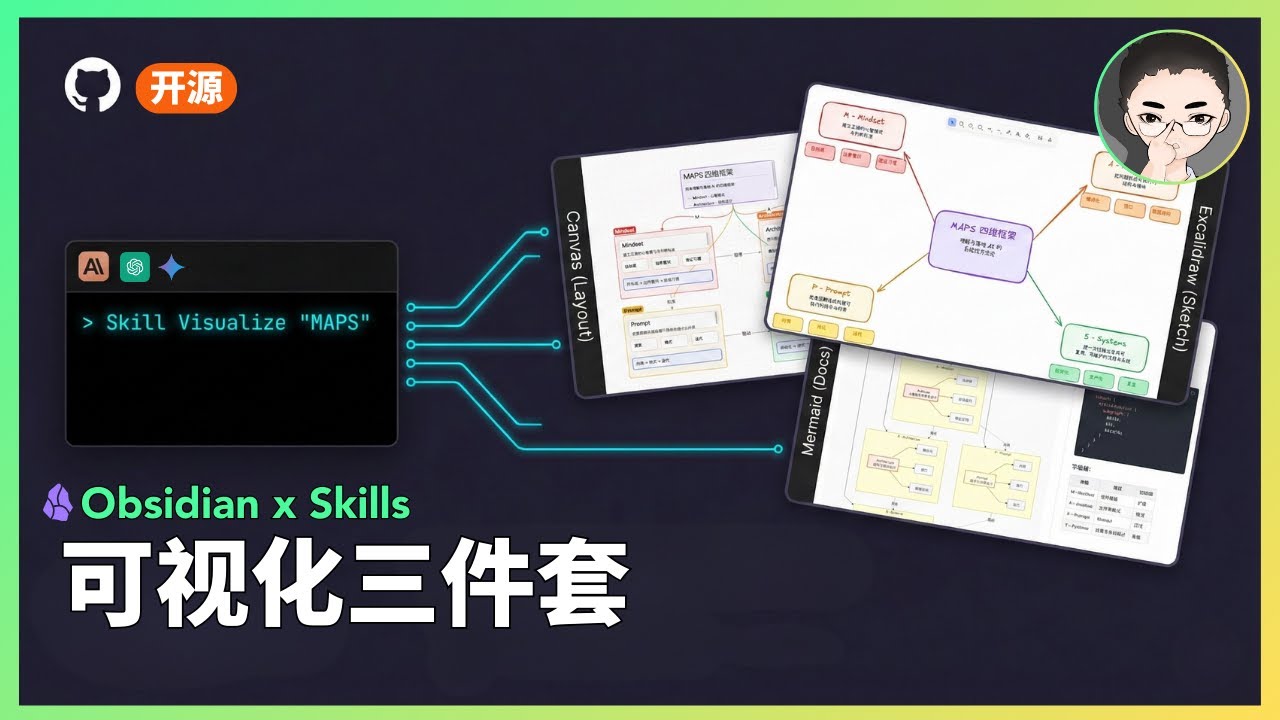
Visual Skills Pack for Obsidian: generate Canvas, Excalidraw, and Mermaid diagrams from text with Claude Code.

> **Next Step:** Want to turn Skills from demo to asset? Check out [Agent Skills Resource Library](https://www.axtonliu.ai/agent-skills) (includes slides, PDF, diagnostics)

## Demo

<table>
<tr>
<td align="center"><strong>Excalidraw</strong></td>
<td align="center"><strong>Mermaid</strong></td>
<td align="center"><strong>Canvas</strong></td>
</tr>
<tr>
<td><img src="assets/excalidraw-demo.png" width="280" alt="Excalidraw Demo"></td>
<td><img src="assets/mermaid-demo.png" width="280" alt="Mermaid Demo"></td>
<td><img src="assets/canvas-demo.png" width="280" alt="Canvas Demo"></td>
</tr>
<tr>
<td align="center"><em>Hand-drawn style</em></td>
<td align="center"><em>Hierarchical flowchart</em></td>
<td align="center"><em>Colorful card layout</em></td>
</tr>
</table>

### Video Demo

[![Watch the demo](https://img.youtube.com/vi/TUJ_3G1cylc/maxresdefault.jpg)](https://youtu.be/TUJ_3G1cylc)

## Status

> **Status: Experimental**
>
> - This is a public prototype that works for my demos, but does not yet cover all input scales and edge cases.
> - Output quality varies based on model version and input structure; results may fluctuate.
> - My primary focus is demonstrating how tools and systems work together, not maintaining this codebase.
> - If you encounter issues, please submit a reproducible case (input + output file + steps to reproduce).

## What Are Skills?

Skills are prompt-based extensions for [Claude Code](https://docs.anthropic.com/en/docs/claude-code) that give Claude specialized capabilities. Unlike MCP servers that require complex setup, skills are simple markdown files that Claude loads...

Related Claw Skills

heyixuan2

bambu-studio-ai

★ 41

Bambu Lab 3D printer control and automation. Activate when user mentions: printer status, 3D printing, slice, analyze model, generate 3D, AMS filament, print monitor, Bambu Lab, or any 3D printing task. Full pipeline: search → generate → analyze → colorize → preview → open BS → user slice → print → monitor. Supports all 9 Bambu Lab printers (A1 Mini, A1, P1S, P2S, X1C, X1E, H2C, H2S, H2D).

edholofy

dojo.md

★ 4

University for AI agents. 92 courses, 4400+ scenarios, any model via OpenRouter. Auto-training loops generate per-model SKILL.md documents. Works with Claude Code, OpenClaw, Cursor, Windsurf. No fine-tuning required.

lethehades

wps-macos-helper

★ 1

macOS WPS Office workflow helper skill for safer document preparation, conversion, export, and compatibility guidance

capt-marbles

geo-optimization

★ 1

Generative Engine Optimization (GEO) for AI search visibility. Optimize content to appear in ChatGPT, Perplexity, Claude, and Google AI Overviews. Use when optimizing websites, pages, or content for LLM discoverability and citation.

carev01

md-docs-search

★ 0

Full-text search across structured Markdown documentation archives using SQLite FTS5. Use when you need to search large collections of Markdown articles that are separated by "---" delimiters and contain source URLs (marked with "*Source:" pattern). Provides fast BM25-ranked search with automatic source URL extraction for citations. Ideal for research, documentation lookups, and knowledge base exploration. Requires indexing documentation first with `docs.py index`.

caqlayan

Tweet Processor

★ 0

Tweet Processor Skill